

2-device binding
Each plan activates on two Windows devices.
Trade execution and prop-account protection for MetaTrader 4 and 5
Plan risk, execute entries and manage staged exits while Prop Guard monitors daily loss, drawdown, open risk and firm rules, blocking dangerous actions before they damage your challenge.
New Prop GuardSee prop rules live and enforce them with hard protection MT4
MT4 MT5
MT5Real product walkthroughs
Five guided recordings use the real MetaTrader 5 edition; the same core workflows are also included in the MT4 edition.
Interactive product tour
Every screen is captured from the real product. The active control area is isolated without covering the interface.
Daily execution
Choose a step to isolate it on the real product screen.
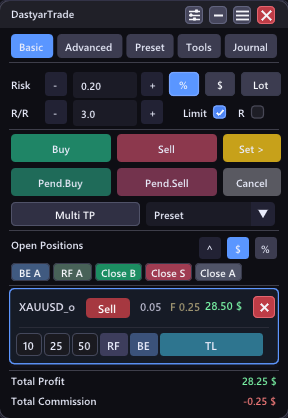 1
1Batch control
Select one trade or Ctrl-click several trades and apply a shared rule.
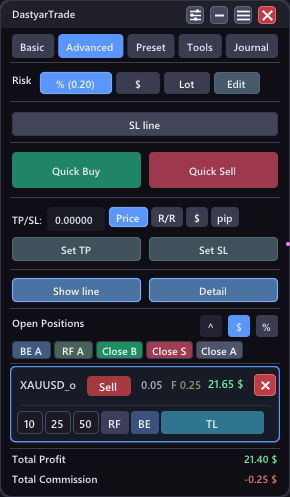 1
1Repeatable execution
Build a complete management recipe once, then reuse it on the next setup.
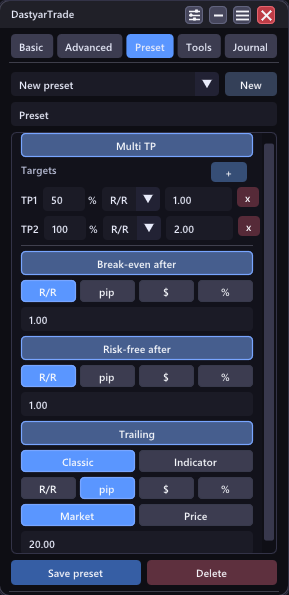 1
1Prop account protection
Monitor firm rules live, load ready-made presets and block actions that would put the account outside its permitted limits.
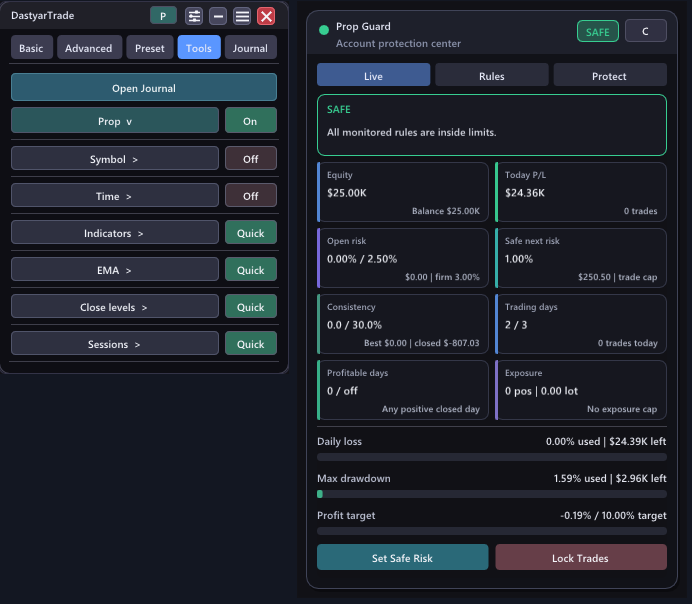 1
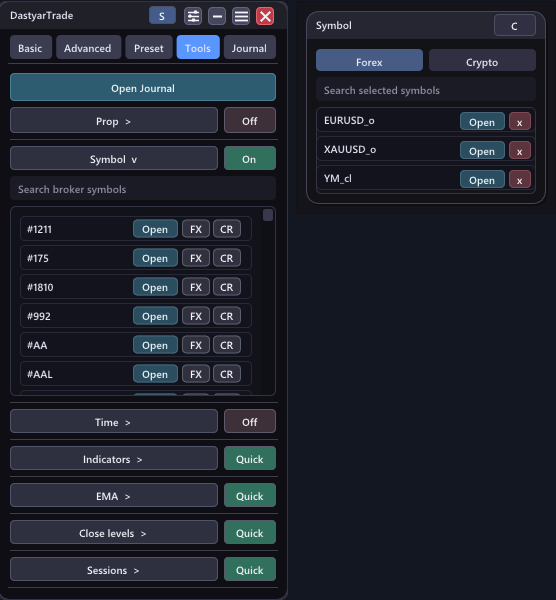
1Chart utilities
Open only the tool you need and keep selected shortcuts in Quick tools.
 1
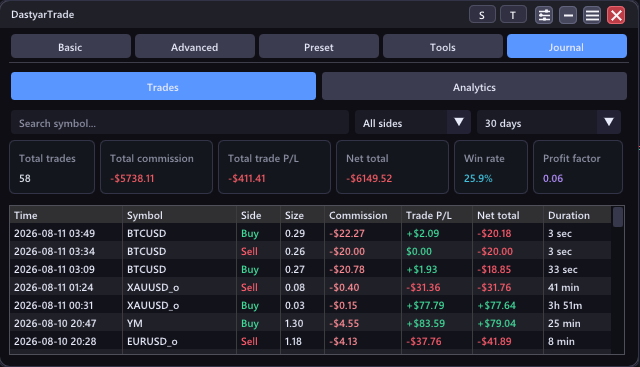
1Built into DastyarTrade
Inspect closed trades and performance summaries without leaving the assistant. The desktop journal remains available for deeper analysis.
 1
1Independent Windows journal
One journal window can discover MT4 and MT5 installations on the same PC and switch accounts from a single selector.
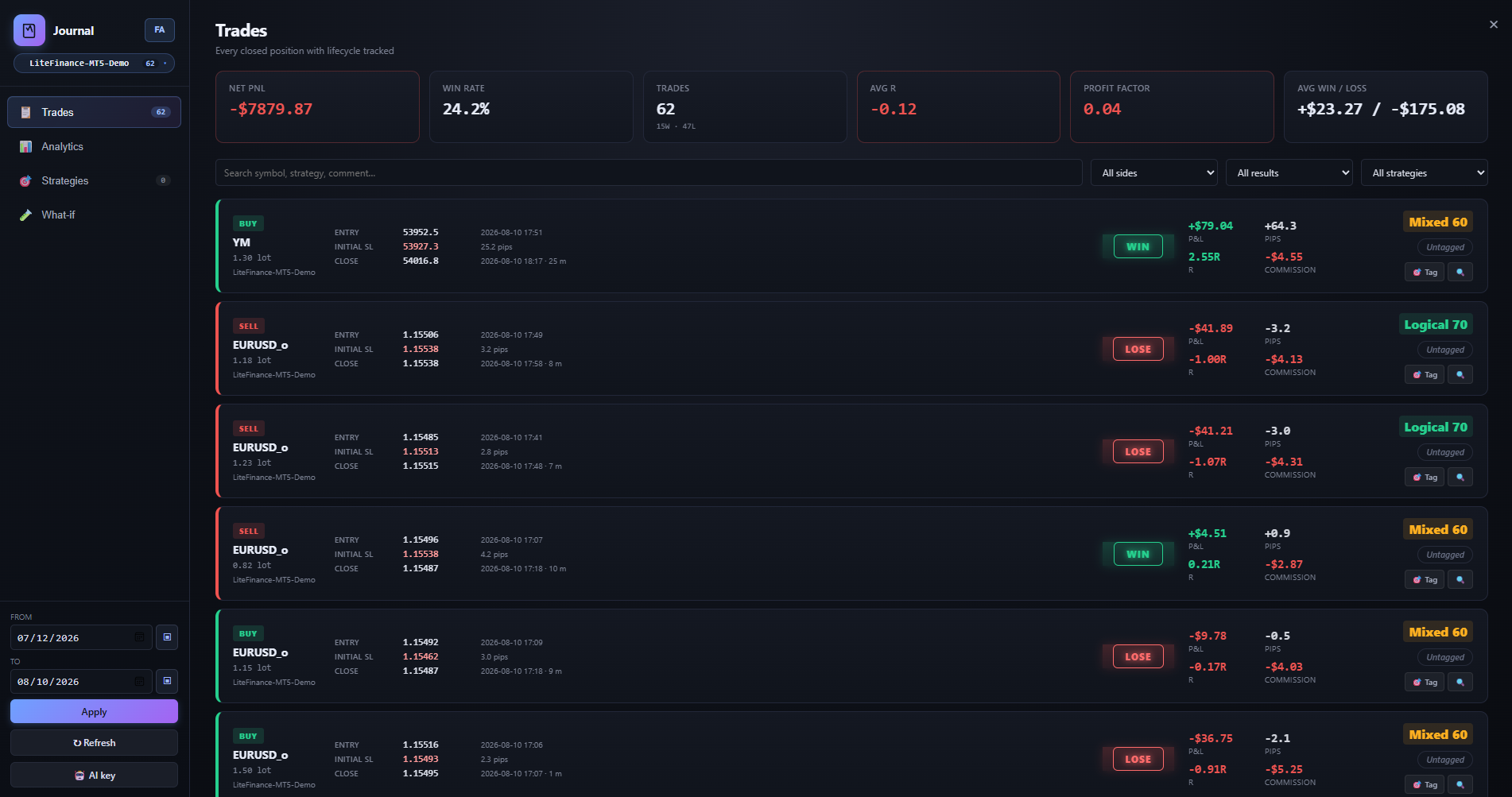
Entry, initial stop, exit, realized R, pips, commission and strategy tag stay searchable.
Licensing and delivery
Every launch is bound to a license, device, trading account and MT4/MT5 edition. The server returns a signed, time-limited lease; the private signing key never ships with the product.
Each plan activates on two Windows devices.
A 72-hour signed lease that can be revoked from admin.
A limited, expiring download link after verified payment.
Update center
While the subscription is active, use the existing activation key to receive the latest installer.
Lifetime license
Open checkout, choose your MetaTrader edition and payment route.
FAQ
A lifetime license supports two Windows devices, with unlimited MetaTrader installations and trading accounts on those devices. Periodic internet access is required to verify activation.
No. Buyers receive compiled EX5/DLL files, the journal application, installer and an activation key.
NOWPayments orders use signed IPN verification. Direct BEP20 payments are matched to the order's unique amount, wallet and confirmed on-chain transfer.
A time-limited download link, the activation key and installation notes are emailed to the buyer.